Essential Guide to Label Printers for Modern Business Success
Introduction
In today's fast-paced business environment, efficiency in labeling operations can significantly impact productivity and customer satisfaction. A reliable label printer serves as the backbone of inventory management, shipping operations, and product identification across industries. From small retail shops to large warehouses, businesses rely on these devices to create professional, durable labels quickly and cost-effectively.The evolution of labeling technology has transformed how companies handle everything from price tags to shipping labels. Modern label printers offer unprecedented speed, quality, and versatility, making them indispensable tools for businesses of all sizes. Whether you're managing inventory, organizing assets, or fulfilling customer orders, understanding the capabilities and options available in today's market is crucial for making an informed investment.This comprehensive guide explores the different types of label printers available, their key features, practical applications, and essential maintenance practices. By understanding these fundamentals, you'll be better equipped to select the right labeling solution that aligns with your business needs and budget constraints.
Types of Label Printers
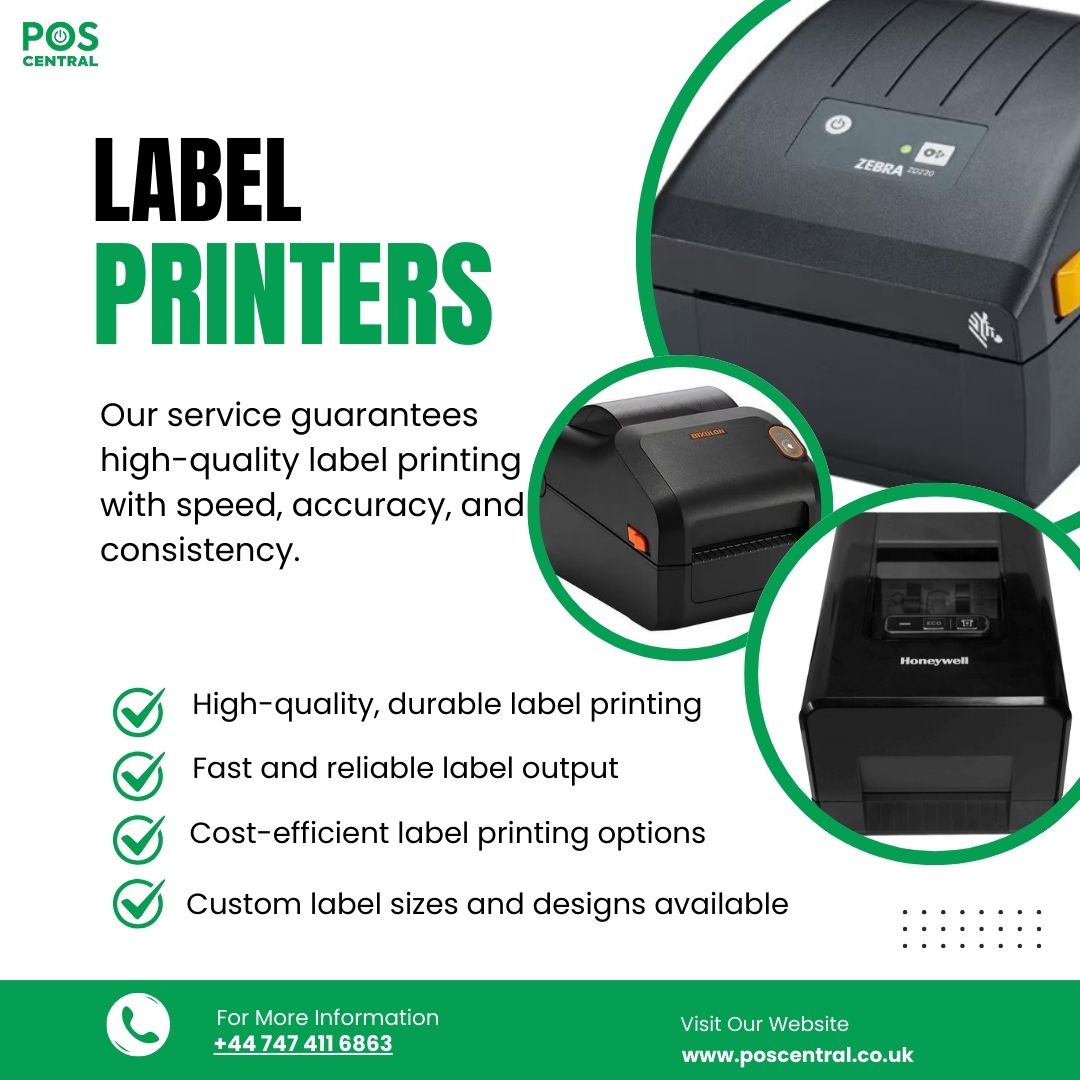
The label printing market offers several distinct technologies, each with unique advantages for specific applications. Understanding these differences is essential for selecting the most suitable option for your business needs.
Direct Thermal Printers These printers use heat-sensitive paper that darkens when heated by the print head. They're ideal for short-term applications like shipping labels and receipts. Direct thermal printers require no ink or ribbon, making them cost-effective for high-volume, temporary labeling needs.
Thermal Transfer Printers A thermal label printer using ribbon technology creates more durable labels by melting wax or resin onto various media types. These printers excel at producing long-lasting labels resistant to heat, moisture, and chemicals, making them perfect for outdoor use or harsh environments.
Inkjet Label Printers Utilizing liquid ink technology, inkjet printers produce high-resolution, full-color labels ideal for product packaging and marketing materials. They offer exceptional print quality but typically have higher per-label costs and slower print speeds.
Laser Label Printers These printers use toner and heat to create sharp, professional labels. They're excellent for office environments requiring crisp text and barcodes, though they're generally limited to paper-based media.Each technology serves different business needs, from high-speed warehouse operations to boutique product labeling, making it crucial to match printer type with intended application.
Key Features
When evaluating label printers, several critical features determine their suitability for specific business applications.
Print Speed and Resolution Print speed, measured in inches per second (IPS), ranges from 2-12 IPS depending on the model. High-volume operations benefit from faster speeds, while businesses prioritizing quality might accept slower speeds for better resolution. Resolution, measured in dots per inch (DPI), typically ranges from 203 to 600 DPI, with higher values producing sharper text and graphics.
Media Flexibility Modern printers support various label materials including paper, synthetic materials, and specialty stocks. Width capacity varies from 2-inch desktop models to 6-inch industrial units, accommodating different label sizes and applications.
Connectivity Options Contemporary label printers offer multiple connectivity choices including USB, Ethernet, Wi-Fi, and Bluetooth. Cloud-enabled models allow remote printing and management, essential for distributed operations or multi-location businesses.
Durability and Build Quality Construction quality varies significantly between desktop and industrial models. Heavy-duty printers feature metal frames and components designed for continuous operation, while desktop units prioritize compact design and quieter operation for office environments.
Software Compatibility Integration capabilities with existing business systems, including inventory management and shipping software, streamline operations and reduce manual data entry errors.
Use Cases
Label printers serve diverse industries with unique requirements and applications.
Retail and E-commerce Businesses use label printers for price tags, product identification, and shipping labels. High-volume online retailers particularly benefit from fast, reliable thermal printers integrated with order management systems.
Healthcare and Laboratories Medical facilities require precise patient identification, specimen tracking, and pharmacy labels. Printers must produce smudge-proof, chemical-resistant labels meeting strict regulatory requirements.
Manufacturing and Logistics Industrial environments demand robust printers capable of producing durable labels for inventory tracking, asset management, and compliance labeling. These applications often require barcode capability and integration with warehouse management systems.
Food Service and Hospitality Restaurants and food processors need printers for ingredient labels, expiration dates, and nutritional information. Water-resistant labels and food-safe materials are essential considerations.
Office Administration General office use includes file organization, mail management, and visitor badges. Desktop label printers with user-friendly interfaces suit these lighter-duty applications.Understanding your specific use case helps narrow printer options and ensures the selected model meets both current and future labeling needs.
Maintenance
Proper maintenance extends printer life and ensures consistent print quality. Regular care prevents costly downtime and maintains professional output standards.
Daily Cleaning Routines Clean the print head weekly using manufacturer-approved cleaning cards or isopropyl alcohol. Remove dust and debris from the printer interior, paying special attention to sensors and media paths. This prevents feed errors and maintains print clarity.
Ribbon and Media Management Store labels and ribbons in cool, dry environments to prevent degradation. Use media within manufacturer specifications to avoid premature print head wear. Regularly inspect for damaged or contaminated supplies that could harm printer components.
Calibration and Updates Perform regular calibration to maintain accurate label positioning and barcode quality. Keep firmware updated to ensure compatibility with new media types and fix known issues.
Professional Service Schedule annual professional maintenance for high-volume operations. Technicians can identify wear patterns and replace components before failure occurs. Many manufacturers offer service contracts providing priority support and preventive maintenance.Document all maintenance activities to track patterns and predict future service needs. This proactive approach minimizes unexpected failures and maintains consistent labeling operations.
Buying Considerations
Selecting the right label printer requires careful evaluation of current needs and future growth potential.
Volume Requirements Assess daily and peak labeling volumes to determine appropriate printer speed and duty cycle ratings. Overspecifying ensures capacity for growth while underspecifying leads to equipment strain and premature failure.
Total Cost of Ownership Consider initial purchase price alongside ongoing costs including supplies, maintenance, and potential downtime. Higher-quality printers often provide better long-term value despite higher upfront costs.
Integration Needs Evaluate compatibility with existing software systems and workflows. Seamless integration reduces training requirements and implementation time.
Support and Warranty Research manufacturer reputation, warranty terms, and local service availability. Strong support infrastructure minimizes operational disruptions when issues arise.
Future Flexibility Choose printers accommodating potential changes in label sizes, materials, or volume requirements. Modular designs allowing upgrades extend useful life and protect your investment
Conclusion
Investing in the right label printer transforms business operations through improved efficiency, accuracy, and professional presentation. Whether you need a compact thermal label printer for shipping operations or a high-resolution system for product branding, understanding available options and key features guides informed decision-making.
The ideal printer balances performance, reliability, and cost-effectiveness while meeting specific application requirements. From direct thermal technology for temporary labels to thermal transfer systems for durable applications, each option serves distinct business needs.
Ready to enhance your labeling operations? Start by documenting your current and anticipated labeling requirements, including volume, label types, and integration needs. Research models matching these specifications, request demonstrations from reputable suppliers, and calculate total ownership costs. With careful evaluation and the insights provided in this guide, you'll select a label printer that supports your business growth and operational excellence for years to come.
Read more:
